
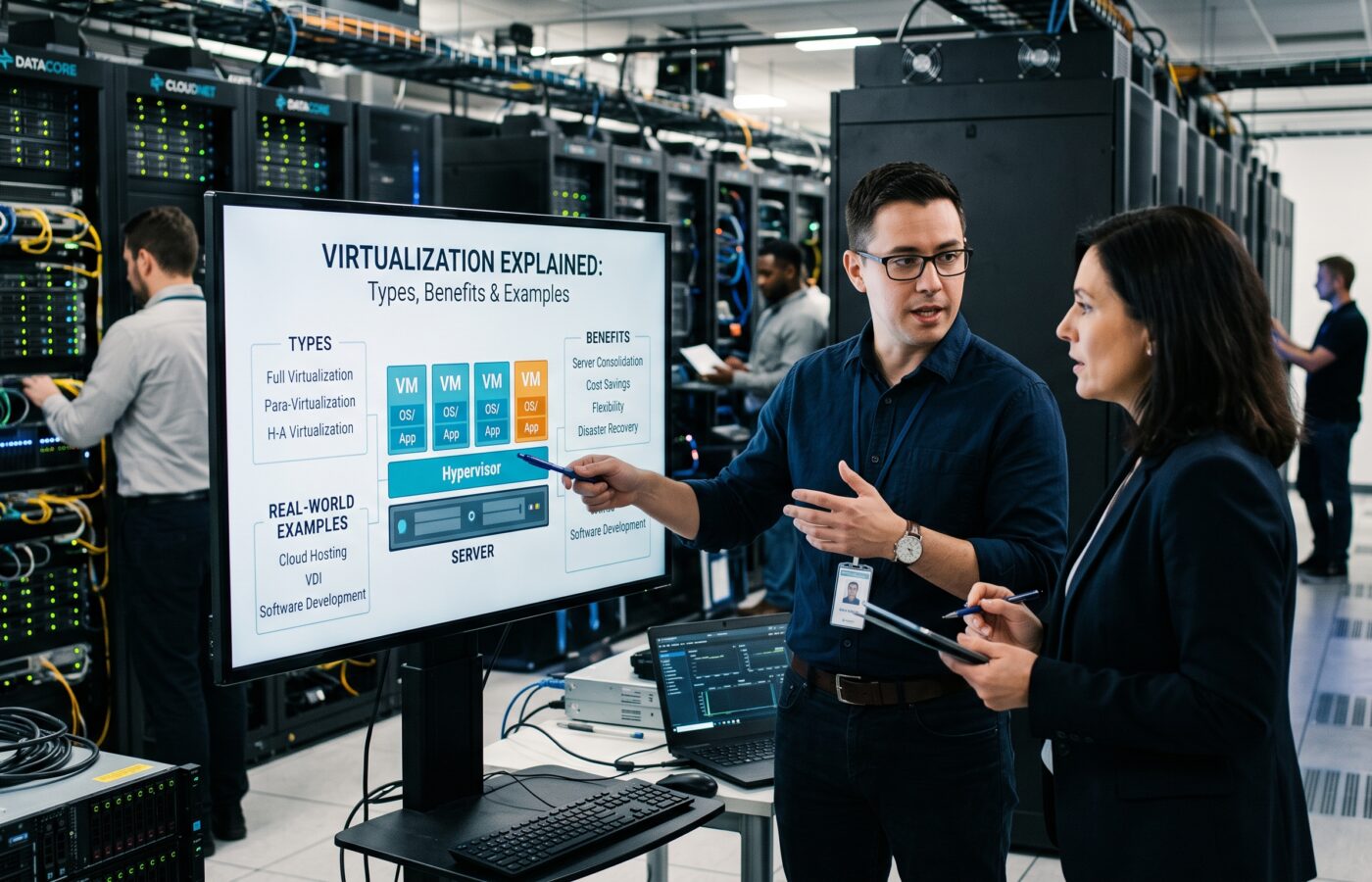
Virtualization Explained: Types, Benefits, and Real-World Examples

I’ve spent most of my career designing data center and cloud architectures, and if there’s one concept that quietly holds the whole discipline together, it’s virtualization. Ask ten engineers to define it and you’ll get ten slightly different answers, which tells you something: virtualization explained in a textbook and virtualization explained by someone who’s had to troubleshoot a failed vMotion at 2 a.m. are not quite the same thing. This piece is the second version — a practitioner’s walkthrough of what virtualization actually is, the forms it takes in production, and where it earns its keep.
Virtualization Explained: What It Actually Means
Strip away the marketing language and virtualization is a simple idea: insert a software layer between physical hardware and the operating systems or applications that use it, so that one physical machine can behave like several independent ones. That software layer is called a hypervisor, and it’s the component doing the real work — carving up CPU cycles, memory pages, storage blocks, and network interfaces and handing them out to guest systems that believe they each have a dedicated machine to themselves.
Before this became standard practice, a typical rack held one application per physical server, and most of those servers sat at a fraction of their real capacity — often below 15 percent utilization on average. That waste is the entire reason virtualization took hold in enterprise IT. A single well-specified host can now carry workloads that once required a room full of underused boxes.
How Virtualization Works Under the Hood
There are two broad families of hypervisor, and the distinction matters when you’re picking an architecture, not just when you’re studying for a certification exam.
A Type 1 hypervisor, sometimes called bare-metal, installs directly on the physical hardware and takes over the role an operating system would normally play. VMware ESXi, Microsoft Hyper-V, and KVM (built into the Linux kernel and used heavily by Red Hat and most public clouds) all fall into this category. Because there’s no general-purpose OS sitting between the hypervisor and the silicon, these platforms tend to be faster and are what you’ll find running production workloads in a data center.
A Type 2 hypervisor runs as an application on top of an existing operating system. Oracle VirtualBox and VMware Workstation are the classic examples — great for a developer running a Windows guest on a Mac laptop, not something you’d put under a customer-facing database.
Both approaches rely on the same underlying trick: the hypervisor intercepts privileged instructions from the guest OS and translates or schedules them against the real hardware, while modern CPUs from Intel and AMD provide hardware-assisted extensions that make this translation nearly free in performance terms compared to the software-only tricks used in the early 2000s.
Two capabilities built on top of that foundation are worth understanding because they’re what make virtualization operationally useful rather than just theoretically elegant. Live migration lets a running virtual machine move from one physical host to another with no perceptible interruption to the workload, which is how a data center team patches and reboots hardware during business hours without anyone noticing. Memory overcommit lets a hypervisor allocate more total memory to guest VMs than the host physically has installed, betting that not every guest will demand its full allocation at the same moment — a bet that pays off often enough to be standard practice, though it’s one of the first things I check when a cluster starts behaving strangely under load.
The Types of Virtualization Explained
When people say “virtualization,” they usually mean server virtualization, but that’s only one slice of it. In my architecture reviews, I sort it into 8 practical categories, because each one gets designed, licensed, and troubleshot differently:
Server virtualization partitions a physical server into multiple virtual machines, each running its own OS and application stack. This is the foundation everything else in this list builds on.
Desktop virtualization, usually delivered through VDI (virtual desktop infrastructure), hosts full desktop operating systems on centralized infrastructure and streams them to end-user devices. Citrix Virtual Apps and Desktops and VMware Horizon are the two names you’ll hear most in this space.
Network virtualization abstracts switches, routers, and firewalls into software-defined constructs, decoupling network topology from physical cabling. VMware NSX is the reference example most enterprise architects have worked with directly.
Storage virtualization pools capacity from multiple physical disks or arrays behind a single logical layer, so applications talk to a volume rather than a specific spindle or array controller.
Application virtualization packages an application separately from the underlying OS, letting it run in isolation without a traditional install. This solves compatibility headaches when two applications need conflicting library versions on the same machine.
Data virtualization creates a unified access layer across databases and data sources that physically live in different systems, letting analytics tools query them as if they were one.
GPU virtualization slices graphics hardware across multiple virtual machines, which has become far more relevant as AI training and inference workloads compete for accelerator capacity.
OS-level virtualization, better known today as containerization, shares a single kernel across many isolated user-space instances. Docker and the container runtimes behind Kubernetes are the dominant examples, and they represent a lighter-weight cousin of full-machine virtualization rather than a replacement for it.
Real-World Virtualization Examples From the Field
Theory is easy; production is where the trade-offs show up. A few patterns I see repeatedly:
A mid-size enterprise migrating off aging physical servers typically consolidates workloads onto VMware vSphere or Microsoft Hyper-V clusters, often taking a rack that held 8 standalone application servers down to two or three virtualization hosts with room to spare. Nutanix and other hyperconverged platforms bundle compute, storage, and the hypervisor into one appliance-like stack, which is popular with teams that want fewer moving parts to manage.
Public cloud providers are, at their core, enormous virtualization operations. AWS EC2, Microsoft Azure, and Google Cloud all run customer workloads as virtual machines on top of custom hypervisors — AWS’s Nitro platform is a well-documented example of hardware-assisted virtualization at scale — and then resell that capacity by the hour. When a business says it’s “moved to the cloud,” what’s actually happened is that its virtual machines now live on someone else’s hypervisor instead of a server in a closet down the hall.
On the open-source side, Proxmox VE and oVirt package KVM into something a smaller IT team can run without an enterprise licensing budget, and they’ve become common in managed service provider environments and homelabs alike.
Desktop virtualization shows up whenever a call center or a hospital needs clinicians and agents to access the same locked-down desktop image from any workstation, without storing patient or customer data on local hardware. And container platforms built on Kubernetes now sit alongside traditional VMs in most enterprise environments rather than replacing them outright — the two coexist because they solve different problems.
Why Architects Keep Reaching for Virtualization
The benefits get repeated so often they start to sound like marketing copy, so I’ll frame them the way I actually justify them in a design review.
Consolidation is the first and most obvious win — fewer physical servers to power, cool, and maintain translates directly into a smaller capital and operating budget. Provisioning speed follows close behind: standing up a new virtual machine from a template takes minutes, where racking and configuring physical hardware could take weeks.
Isolation is underrated. A misbehaving application on one VM doesn’t take down its neighbors the way a runaway process could on a shared physical OS. That isolation also makes testing safer — you can snapshot a VM, break something intentionally, and roll back without touching production.
Disaster recovery gets dramatically simpler because a virtual machine is, at its core, a set of files. Replicating those files to a secondary site and powering them up elsewhere is a far cleaner recovery story than trying to rebuild physical servers from bare metal after an outage.
There’s also a sustainability argument that doesn’t get enough airtime: fewer physical servers running at higher utilization means lower power and cooling draw per unit of actual work performed, which matters both for the budget and for organizations tracking their data center footprint.
The Trade-Offs of Virtualization You Won’t See in a Sales Deck
None of this is free, and part of doing this job honestly is naming the costs.
Licensing can get expensive fast, particularly with per-core hypervisor pricing models that penalize you for buying denser hardware. Broadcom’s changes to VMware’s licensing structure after the acquisition pushed a meaningful number of organizations to evaluate alternatives like KVM-based platforms or Hyper-V, which tells you licensing risk is now an architectural consideration in its own right, not just a procurement detail.
“Noisy neighbor” problems are real — a virtual machine that suddenly spikes CPU or storage I/O can degrade performance for everything else sharing that host if resource limits aren’t configured properly. And a hypervisor is a single point of failure for everything running on it; a bug or a misconfiguration at that layer has a much wider blast radius than a problem on one physical server ever would.
Security also deserves a second look rather than an assumption. VM escape vulnerabilities, where code running inside a guest breaks out to affect the host or other guests, are rare but not theoretical, and any architecture that treats the hypervisor boundary as an absolute security guarantee is making an assumption worth periodically testing.
Platform lock-in is the last one I’ll flag, because it’s the trade-off that surfaces years after the original decision, not during it. Virtual machine formats, management tooling, and automation scripts tend to be built around a specific vendor’s ecosystem, and moving a few hundred VMs from one hypervisor to another is a project measured in months, not a weekend task. Conversion tools exist and have improved, but I still budget for compatibility testing and downtime windows whenever a client asks about switching platforms, because the marketing promise of a clean, automated migration rarely matches what actually happens once storage formats, network profiles, and custom drivers enter the picture.
Virtualization FAQ
What is virtualization, in plain terms?
It’s the use of software to create a virtual, rather than physical, version of a computing resource — a server, a desktop, storage, or a network — so that one physical system can be divided into several independent ones.
Is virtualization the same thing as cloud computing?
No, though the two are closely related. Virtualization is the underlying technology; cloud computing is a delivery model built largely on top of it, adding self-service provisioning, metered billing, and elastic scaling to what virtualization makes technically possible.
What’s the difference between a virtual machine and a container?
A virtual machine includes a full guest operating system and is managed by a hypervisor. A container shares the host’s kernel and packages only the application and its dependencies, making it lighter and faster to start, but with a thinner isolation boundary than a full VM.
Which is better, a Type 1 or Type 2 hypervisor?
Neither is universally “better” — they solve different problems. Type 1 hypervisors run directly on hardware and are the standard for production data center workloads. Type 2 hypervisors run on top of a host OS and are better suited to development, testing, or running a secondary OS on a personal machine.
Is virtualization still relevant now that containers and serverless computing exist?
Yes. Containers typically run on virtual machines rather than replacing them, and serverless platforms are themselves built on virtualized infrastructure behind the scenes. Most enterprise environments run VMs and containers side by side rather than choosing one exclusively.
How much can virtualization actually reduce hardware costs?
It varies by workload, but consolidation ratios of 8:1, or higher, are common when moving from single-purpose physical servers to a well-sized virtualization cluster, along with corresponding reductions in power, cooling, and data center floor space.
The Bottom Line on Virtualization
Virtualization explained honestly isn’t a single technology so much as a design philosophy: stop binding software to specific physical hardware, and you gain flexibility everywhere downstream of that decision — in cost, in recovery, in speed of change. Containers and serverless platforms have added new layers on top of it, but they haven’t replaced the underlying idea. If you’re building or modernizing infrastructure today, the question usually isn’t whether to use virtualization — it’s which forms of it, at which layer, actually match the workload in front of you.
References
- IBM: Explore IBM’s guide to core virtualization concepts and architecture
- Red Hat: Read Red Hat’s deep dive on hypervisors and open-source infrastructure
- Mirantis: See Mirantis’ enterprise insights on scaling virtualized workloads
- Splashtop: Check out Splashtop’s breakdown of IT virtualization types and use cases
- Portworx: Review Portworx’s analysis of virtualized storage and operational advantages