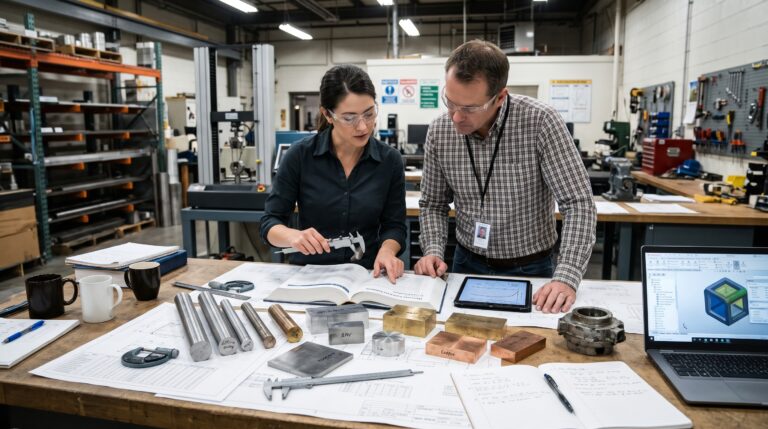






Early in my career, a design engineer handed me a drawing for a simple aluminum mounting bracket, and that one part ended up teaching me what design for manufacturability really means. Two holes, a slot, a pocket to save weight. Nothing fancy. Every single dimension on that print carried a tolerance of plus or minus half a thousandth of an inch. The edges that touched nothing, the pocket floor no one would ever see, the overall length that just had to clear a cabinet wall. The print held all of it to a tolerance you would expect on a bearing bore.
The quote came back at almost four times what we had budgeted. When I walked over to ask why the tolerances were so tight, the answer was honest and a little painful to hear. “That’s what the template had in the title block.”
That bracket taught me more than any textbook. The part was not hard to make because the geometry was clever. It was expensive because nobody had stopped to ask what the machine, the operator, and the inspector would have to do to make it real.
I have spent most of my working life on the production side, standing between engineering and the shop floor, translating intent into something a machine can repeat ten thousand times without drama. This article is what I wish someone had handed me in my first year. It is not a list of rules to memorize. It is a way of thinking about parts so they cost less to build, fail less often, and stop generating angry emails from purchasing.
What Design for Manufacturability Actually Means on the Shop Floor
The textbook version is simple enough. Design for manufacturability, often called DFM, is the practice of designing products so they are easy to manufacture. Most definitions add that it should happen while keeping function, quality, and cost in balance.
On the floor, it means something more concrete. A shop can fixture the part without a custom jig. Every feature is within reach of the cutter. An inspector can measure the critical dimensions without a coordinate measuring machine program that takes three hours to write. And the operator loading the press brake never has to guess which way the flange goes.
You will also hear the term DFMA, which joins design for manufacturing with design for assembly. Assembly is where a lot of hidden cost lives, so I treat the two as one conversation. A part that machines beautifully but needs four fasteners and a shim to install is not good design. It is just good machining.
The most useful mindset shift I can offer is this: design for manufacturability is not about making a part cheaper. It is about removing complexity that adds cost without adding function, the same idea at the heart of a good value engineering process. That distinction matters, because “make it cheaper” gets engineers defensive. “Show me which features are doing real work” gets them curious.
The 70 Percent Design for Manufacturability Claim, and Why I Use It Carefully
If you have sat through any DFM presentation, you have seen the claim that design locks in roughly 70 percent of a product’s cost. Sometimes it is 80 percent. The slide usually shows a curve where committed cost shoots up early while actual spending stays low until production starts.
I believe the idea behind that curve. The number is where I get more careful.
Researchers have actually challenged it. A 2001 paper by Barton, Love, and Taylor in the Journal of Engineering Design questioned whether the 70 percent figure holds up. An earlier MIT working paper by Ulrich and Pearson studied coffee makers and found design drove closer to half of manufacturing cost. Half is still a lot of money. But it is not the same as 80 percent, and engineers lose credibility when they repeat a statistic they cannot trace.
So here is how I frame it with my teams. The exact percentage is debatable. What is not debatable is that changing a design costs almost nothing on screen, a little more during prototyping, and a great deal once the shop cuts tooling and purchasing qualifies suppliers through its supplier qualification process. Every week a decision survives without review, it gets more expensive to undo, and every late fix lands in engineering change management. That is the real argument for design for manufacturability, and it does not need an inflated number to be convincing.
Where the Money Hides: Design for Manufacturability Cost Drivers
When I review a part, I am not hunting for one big mistake. I am usually hunting for six or seven small ones that stack up. Here are the places I look first.
Tolerances: The Biggest Design for Manufacturability Blind Spot
This is the single most common source of waste I see, and it is almost always accidental. Tighter tolerances mean slower feeds, more passes, more scrap, more inspection time, and sometimes a different machine entirely. The cost curve is not linear. Going from a standard shop tolerance to a moderately tight one costs a bit. Pushing from moderately tight to very tight can multiply the price, and it loads your manufacturing quality control process with measurements that protect nothing.
Most machine shops work to a general standard like ISO 2768 medium for any dimension that the drawing does not specifically call out. That class is plenty for the majority of features on most parts. My rule is simple: put a general tolerance note in the title block, then tighten only the dimensions that mate, seal, locate, or move. If you cannot tell me what a tight tolerance is protecting, it probably should not be there.
One habit that helps: before releasing a drawing, go through and circle every tolerance tighter than the general note. Next to each one, write a single word explaining why. “Bearing.” “Seal.” “Datum.” If you find yourself writing “habit” or leaving it blank, loosen it.
Sharp Internal Corners and Deep Pockets
End mills are round. They cannot cut a perfectly square inside corner, no matter how nicely it renders in CAD. When a designer draws a sharp internal corner, the shop has three options: use a tiny cutter and crawl through the cut, send the part to wire EDM, or call you and ask what you really meant. All three cost money and time.
The fix is easy. Give internal corners a radius, and make it slightly larger than the cutter you expect the machinist to use so the tool can sweep through the corner instead of stopping and changing direction. Many shops suggest keeping the corner radius at about a third of the pocket depth or more. Keeping all internal radii the same size also helps, because it lets the shop finish the part with one tool instead of several.
Deep, narrow pockets are the cousin of this problem. Long, thin cutters deflect and chatter, so the machine has to slow down. If a pocket is deep only to save a few grams, ask whether those grams are worth the extra cycle time. Sometimes they are. Usually, in industrial equipment, they are not.
If you truly need a square corner because a mating rectangular part has to sit flush, use a relief cut, sometimes called a dog bone, at the corner. It lets the mating part seat fully without asking the machine to do something it physically cannot.
Setups and Fixturing
Every time a part has to come off the machine, flip, and clamp again, you pay for it. That cost shows up in labor, in machine time that is not cutting, and in accuracy, because each new setup introduces a little error that stacks against the features from the last setup.
When I look at a part, I mentally count the setups. If features that need to relate closely to each other sit on opposite faces, I ask whether we can move them to the same face and cut them in one clamping. That single change often improves accuracy and lowers cost at the same time, which is the rare kind of win nobody argues with.
Also think about how the shop will hold the part. A shape with no flat, parallel surfaces to grip may need a custom fixture. Sometimes adding a small tab or a flat that the shop machines off later saves far more than it costs.
Material Choice in Design for Manufacturability
Material is often the biggest piece of a part’s cost, and it gets less scrutiny than geometry. I have watched designers specify stainless steel on brackets that sit inside a dry, climate controlled enclosure. Stainless is harder to machine, wears tools faster, and costs more per pound than aluminum or mild steel with a decent coating.
The question to ask is what the environment and the loads actually require. Corrosion, temperature, strength, weight, weldability. If the honest answer is “we picked stainless because it seemed safe,” that is worth revisiting with a proper engineering material selection review. Machinability alone can swing the price of a part dramatically.
Stock sizes matter too. If your part is 2.05 inches thick and the nearest standard bar is 2.25 inches, the shop is buying and cutting away material you never needed. Designing around common stock is one of the easiest savings in design for manufacturability, and one of the quickest manufacturing cost reduction strategies available to an engineer.
Part Count and Assembly
Someone has to design, draw, quote, purchase, receive, inspect, store, count, and install every part in an assembly. Even a cheap washer carries all of that overhead, including a line in your inventory management for manufacturers system. This is why design for assembly focuses so heavily on reducing part count.
For each part in an assembly, I ask three questions that come straight out of classic DFA practice:
- Does this part move relative to its neighbors?
- Must it be made from a different material?
- Will it need to come apart for service?
If the answer to all three is no, it is a candidate to merge with something next to it.
Fasteners are a favorite target. Can two screws become one? Could a screw become a snap fit, a tab and slot, or a press fit? What if the parts located themselves so the assembler never has to hold three things at once? Self locating features cost almost nothing to add and save time on every unit you build.
Design for Manufacturability Rules for Sheet Metal
Sheet metal is where I see the most avoidable rework, because the parts look simple and the rules are not obvious until you have watched a hole tear on a press brake. A few guidelines I keep pinned near my desk follow below, and they sit comfortably alongside your shop’s metal fabrication quality standards.
Hole Distance From a Bend
If a hole sits too close to a bend line, it distorts into an oval when the metal forms. A widely used guideline is to keep the edge of the hole at least two times the material thickness plus the bend radius away from the bend. Some fabricators prefer 2.5 times thickness for larger holes. Ask your fabricator what they use and design to that.
Inside Bend Radius
Most fabricators want an inside radius at least equal to the material thickness for common steels and aluminum. Go tighter and you risk cracking, especially in harder alloys. Better yet, use the same radius on every bend in the part so the operator does not have to change tooling.
Bend Relief and Flange Length
When a bend runs into an edge or another feature, add a small relief notch so the metal does not tear at the corner. It is a tiny detail that prevents a lot of scrap. Flange length deserves the same care. A flange that is too short cannot sit properly on the die, so it either will not form or forms badly. Your fabricator can give you a minimum based on their tooling.
Uniform Thickness
A fabricator makes a sheet metal part from one sheet. If your design needs two thicknesses, it is two parts, and you should design it as such.
The theme across all of these is the same one that runs through all design for manufacturability work. These rules scale with material thickness and with the tooling your supplier actually owns. Generic guidelines get you close. A five minute call with the fabricator gets you right.
Design for Manufacturability in Molded and Cast Parts
I spend most of my time with machined and fabricated parts, but molded plastics and castings follow the same logic with different physics.
The two big ideas are draft and uniform walls. Draft is a slight taper on vertical walls so the part releases from the mold or pattern. Without it, parts stick, drag, and scar. A degree or two is a common starting point, and textured surfaces need more.
Uniform wall thickness matters because thick sections cool slower than thin ones. That uneven cooling causes sink marks, voids, and warping. When a design calls for a thick area for strength, the usual answer is to core it out and add ribs instead. You get the stiffness without the thick mass.
Undercuts are the other cost trap. Any feature that prevents the part from pulling straight out of the mold needs a side action or a lifter, and those add real money to the tool. Sometimes an undercut is worth it. Often you can design it out by changing a clip direction or splitting a feature into two parts.
How I Run a Design for Manufacturability Review That People Actually Show Up To
A lot of companies have a design for manufacturability process on paper. Fewer have one that works. The difference is usually whether the review feels like a collaboration or an ambush. Here is how I run mine.
Review Early, Then Review Again
The first look happens at the concept or layout stage, before detailed drawings exist, ideally as part of the engineering feasibility study. That is where the team makes the big decisions: process choice, material, how many parts, how they join. A second review happens before release, focused on tolerances and details. Trying to do all of it at the end is how you end up with a stack of change orders.
Bring the People Who Touch the Part
That means a machinist or fabricator, someone from quality, and someone from purchasing if a supplier is involved. A machinist can look at a model for thirty seconds and tell you which feature will need a second setup. That is knowledge no checklist captures.
Talk About Function First
I start every review by asking the designer to walk me through what each feature does. Not how the shop makes it. What it does. This keeps the conversation on solid ground. When a feature turns out to have no function, removing it becomes the designer’s idea, not mine.
Use Your Suppliers
Many shops will run a free DFM check on a quote request. Online manufacturing platforms often flag thin walls, deep holes, and sharp corners automatically. Those reports are not a substitute for a real review, but they are a fast, cheap second opinion.
Write Down What You Learn
Every review should feed a short internal guide: our preferred radii, our standard hole sizes, our go to fasteners, our fabricator’s bend rules. North Dakota State University published a useful paper on building an internal engineering handbook that is a good model for how to structure one. Over time, that guide becomes the most valuable document your engineering group owns, and it fits naturally into your engineering project management best practices.
Estimate Cost While You Design
Cost modeling tools have improved a lot. Even a rough estimate that tells you a part is mostly material cost or mostly machining time points you toward the right fix. If material is two thirds of the cost, shaving setup time is a waste of effort. Look at the stock size or the alloy instead.
Design for Manufacturability Mistakes I Still See From Smart Engineers
None of these come from lack of talent. They come from distance between the design desk and the floor.
Designing for the prototype instead of production. A part that is fine to machine as a one off may be terrible at a volume of five thousand. Ask early what the production quantity will be, because it changes the right process entirely.
Dimensioning from the wrong place. If the drawing dimensions from a feature the shop cannot easily locate, every measurement becomes a calculation. Dimension from datums that match how the shop will hold the part and how it functions.
Specifying odd hole sizes. A 6.35 mm hole is a quarter inch drill. A 6.4 mm hole may need a reamer or a custom tool. Use standard drill and tap sizes unless there is a reason not to.
Overdoing surface finish. A fine finish callout on a surface no one sees or touches adds machining passes and inspection. Specify finish where it affects sealing, sliding, or appearance, and leave the rest at the shop standard.
Ignoring tolerance stack up. Tight individual tolerances do not guarantee a good assembly if they stack the wrong way. A proper stack up analysis sometimes shows you can loosen several dimensions and tighten one, which is cheaper and works better.
Forgetting the person assembling it. Can they see the fastener? Will a wrench actually fit? Is there a way to install the part backward? Design so the wrong way is impossible, not just discouraged.
Making Design for Manufacturability Part of the Culture
The best results I have seen did not come from a single brilliant review. They came from teams where designers walked the floor regularly, where machinists felt welcome to mark up drawings, and where people treated a returned quote as information instead of an insult.
A few things that help build that culture:
- Put new design engineers on the floor for a week. Let them load a machine, run a press brake, and inspect a first article. Treat it as part of your manufacturing workforce training. They will come back designing differently, and they will not need a lecture to do it.
- Celebrate cost reductions that came from design changes. When a redesign drops a part’s price in half, share the before and after. People repeat what gets noticed.
- Close the loop on problems. When a part causes scrap or rework, trace it back to the design decision that caused it and update the internal guide. Otherwise the same mistake shows up on the next project with a new part number.
- Keep the conversation two way. Manufacturing does not always win. Sometimes a tight tolerance or a tricky feature is exactly what the product needs, and the right answer is to pay for it. Design for manufacturability is about making that choice on purpose instead of by accident.
The Bracket Revisited: Design for Manufacturability in Practice
That aluminum bracket from my first year eventually went back for revision. We kept tight tolerances on the two mounting holes and the slot, because those located the part. Everything else went to the general shop tolerance. We opened up the pocket corners to a radius the shop could cut with a standard end mill, and we changed the overall length to match a common bar size.
Function did not change at all. Our part fit exactly as it had before. Meanwhile, the price dropped to well under half of the original quote, and the lead time shortened because the shop no longer needed to schedule time on their precision inspection equipment.
That is what good design for manufacturability looks like. Not clever. Not flashy. Just a part that does its job and asks nothing extra of the people who make it.
If there is one takeaway from all of this, it is to ask the shop before you release, not after. Every conversation you have early is cheaper than any conversation you have later.
Design for Manufacturability FAQs
What is design for manufacturability in simple terms?
It is the practice of designing a part or product so it is easy, reliable, and economical to make, while still doing everything it needs to do. Wikipedia has a good overview of the concept.
What is the difference between DFM and DFMA?
DFM focuses on making individual parts easier to produce, through process, material, and feature choices. DFMA adds design for assembly, which looks at reducing part count and simplifying how parts come together. AllAboutLean’s introduction to DFMA explains how the two fit together.
Is it true that 70 percent of product cost is set during design?
It is a widely repeated rule of thumb, but researchers have questioned the exact figure, and one MIT study found design drove around half of manufacturing cost for the products it examined. Either way, early design decisions control a large share of cost. Assembly Magazine’s Design First, Lean Second case study makes the practical case.
What are the most common DFM mistakes in CNC machining?
Overly tight tolerances, sharp internal corners, deep narrow pockets, thin walls, and non standard hole sizes are the usual culprits. Fictiv’s guide to CNC machining DFM issues and Xometry’s tips for reducing CNC machining costs both cover these in practical detail.
How far should a hole be from a bend in sheet metal?
A common guideline is at least two times the material thickness plus the bend radius, measuring from the edge of the hole to the bend. Some fabricators use slightly larger values, so confirm with yours. Fabcon’s sheet metal DFM guide walks through hole, bend, and relief rules.
When should a design for manufacturability review happen?
As early as possible, ideally at the concept stage, and again before you release the drawing. Boothroyd Dewhurst, the company that developed the DFMA method, explains why catching cost drivers early is far cheaper than fixing them after quoting or tooling.
References
- Wikipedia. Design for Manufacturability. Read the Wikipedia entry
- Assembly Magazine. Design First, Lean Second: A Case Study
- AllAboutLean. Design and Assembly Basics (DFMA)
- Boothroyd Dewhurst. DFMA Methodology and Software
- aPriori via Machine Design. Design for Manufacturing Examples: Real Life Engineering Case Studies. Read the aPriori case studies
- Fictiv. Common CNC Machining DFM Issues and Cost Drivers
- Xometry. How to Reduce CNC Machining Costs
- RapidDirect. CNC Design Mistakes and How to Fix Them
- Fabcon. Sheet Metal DFM Guide: Design for Manufacturability Rules. Read Fabcon’s sheet metal guide
- CoLab Software. Introduction to DFM Principles
- North Dakota State University. Developing a Design for Manufacturing Handbook. Read the NDSU paper
- Barton, J.A., Love, D.M., and Taylor, G.D. Design Determines 70% of Cost? A Review of Implications for Design Evaluation. Journal of Engineering Design, 2001. Read the paper
- Ulrich, K.T. and Pearson, S.A. Does Product Design Really Determine 80% of Manufacturing Cost? MIT Sloan Working Paper, 1993. Read the MIT working paper